Getting started
What you collect
Set the subs, fees and kit you collect. Clubtab adds what each child owes on the day it falls due, so statements are always up to date.
Last updated 7 October 2026
Tell Clubtab what you collect and how often, and it works out what every child owes. Parents see each charge on their statement on the day it falls due.
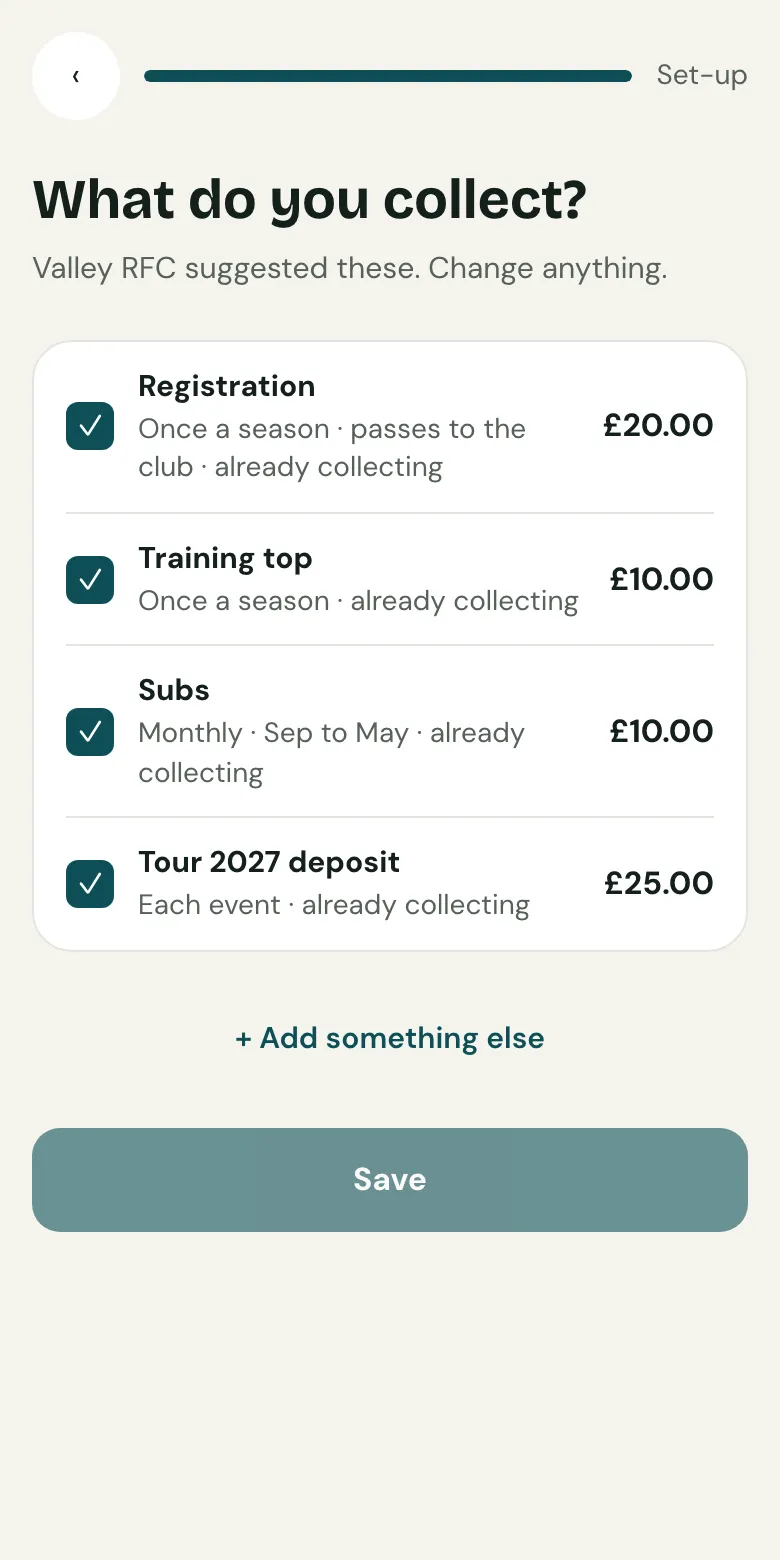
Choose what you collect
- During set-up, open the What you collect step under Finish setting up.
- Tick the usual ones Clubtab suggests, like subs, registration or a training top, and change any amount. If your club has a registration fee, it's suggested for you.
- For anything else, choose + Add something else. Then choose Save.
How often
- Once: like registration. It's due the day you add it, but never before the season starts.
- Monthly: like subs. Choose the first and last month, and the day each month it falls due, from the 1st to the 28th. For something only some of the squad pay for, like a festival, a tour or a kit order, start a collection instead. It sets up what's owed for just the children who are in.
Money that goes to the club
Tick It passes to the club for things like registration that you collect for the club. Clubtab keeps that money separate as Due to club, so it isn't counted as yours to spend.
Adding a charge twice never doubles it: each child owes each item once for each month or season.
Related guides
- Add your squadPaste a list of names, or upload a CSV or TeamO export. Each child gets a reference code that parents use when they pay.
- Direct Debit for monthly subsOn the Team or Club plan, parents can set up Direct Debit from their statement once, and each month’s subs are collected by themselves.
- Collections for kit, tours and ticketsStart a collection, choose who's in and what each child chose, then download the order for the supplier. Payments are matched to each child.
Still stuck? In the app, open Help and choose Contact support, or email [email protected]. We reply within one working day.