Getting started
Add your squad
Paste a list of names, or upload a CSV or TeamO export. Each child gets a reference code that parents use when they pay.
Last updated 7 October 2026
Add your squad once and every child gets a statement, a reference code and a private link for their parents. You can add more players at any time.
Add the players
- Open Squad, then Add your squad (or Add players once you have some). During set-up it's the Add your squad step under Finish setting up.
- Choose how you're adding them:
- Paste a list: one child a line, with a parent after a dash if you have one, like
Alfie Morgan - Sian. - CSV: a file whose first row has headings, like Name and Parent.
- TeamO export: export your members from TeamO as a CSV and choose the file.
- Paste a list: one child a line, with a parent after a dash if you have one, like
- Check the list Clubtab shows you, then choose Add with the number of players, like Add 14 players. Anyone already in the squad is left out, so you can paste the whole list again.
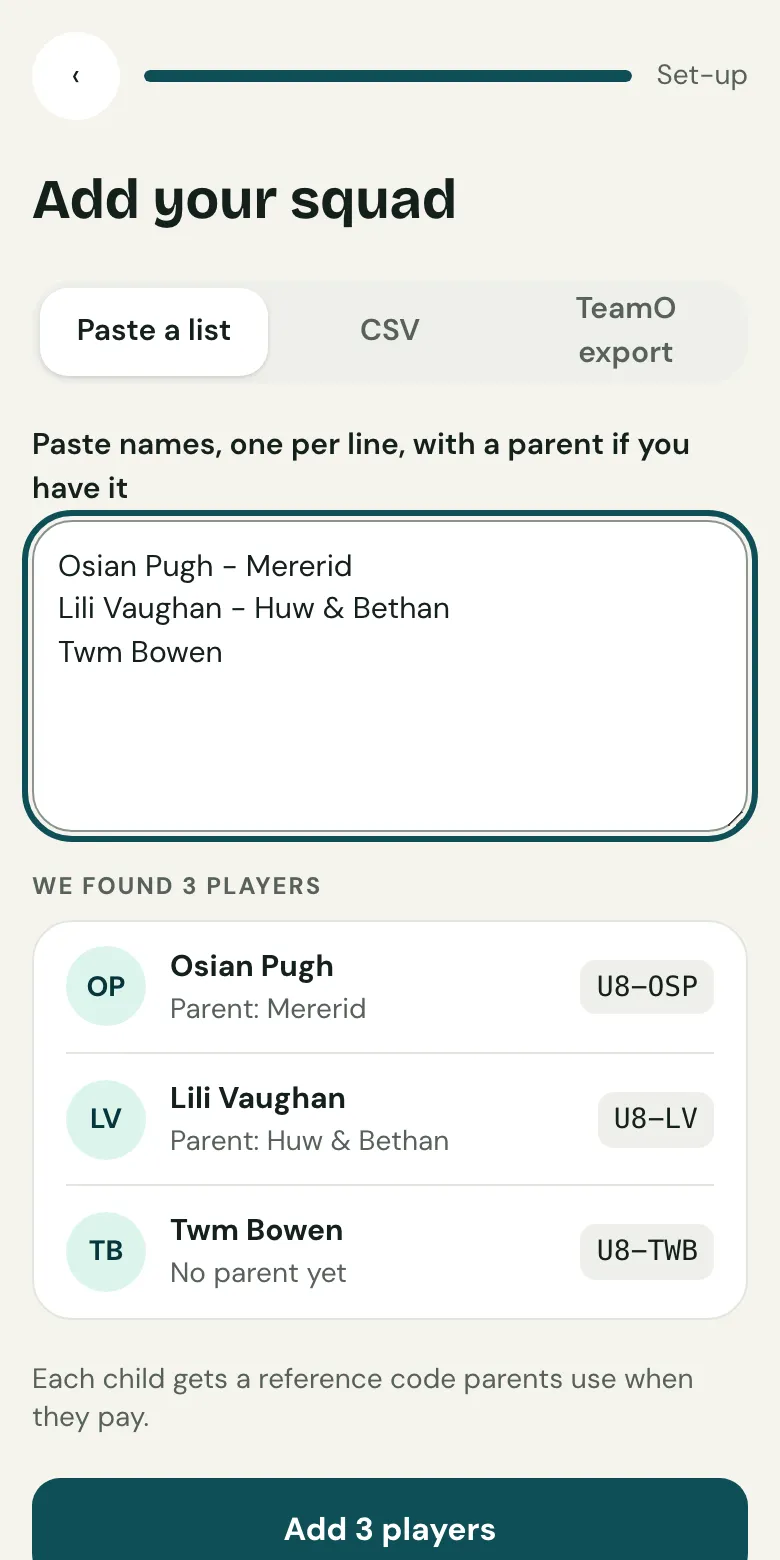
Reference codes
Each child gets a short reference made from the team and their initials, like U8-AM for Alfie Morgan. If two children share initials, Clubtab uses more letters or a number. Ask parents to put it on bank transfers, and Clubtab matches their payment to the right child.
Joining part way through the season
A child added later owes what the rest of the squad owes for the season so far, so you can see straight away what's outstanding. If that's not fair, let them off a charge from their statement.
Already keep the squad in a spreadsheet? Bring your spreadsheet with you adds the players and their payments in one go.
Related guides
- What you collectSet the subs, fees and kit you collect. Clubtab adds what each child owes on the day it falls due, so statements are always up to date.
- How parents payParents open the statement link you send, see what’s paid and what’s due, and pay by card, Apple Pay, Google Pay or Direct Debit. No account or app needed.
- Bring your spreadsheet with youUpload your team spreadsheet with a bank statement and Clubtab lines the two up. Anything that doesn’t match is shown to you, never guessed.
Still stuck? In the app, open Help and choose Contact support, or email [email protected]. We reply within one working day.