For parents
How parents pay
Parents open the statement link you send, see what’s paid and what’s due, and pay by card, Apple Pay, Google Pay or Direct Debit. No account or app needed.
Last updated 5 October 2026
Each family gets a private link to their child’s statement. It shows what’s paid and what’s due, with a Pay button. There’s no account to make and no app to download.
Sending the link
From Squad, open a player and share their statement link by WhatsApp, text or email. Each link is unguessable, only shows that child, and stops working at the end of the season.
Paying online
Parents choose Pay, then pay by card, Apple Pay or Google Pay in a tap. For regular subs they can choose Pay subs by Direct Debit instead and set it up once.
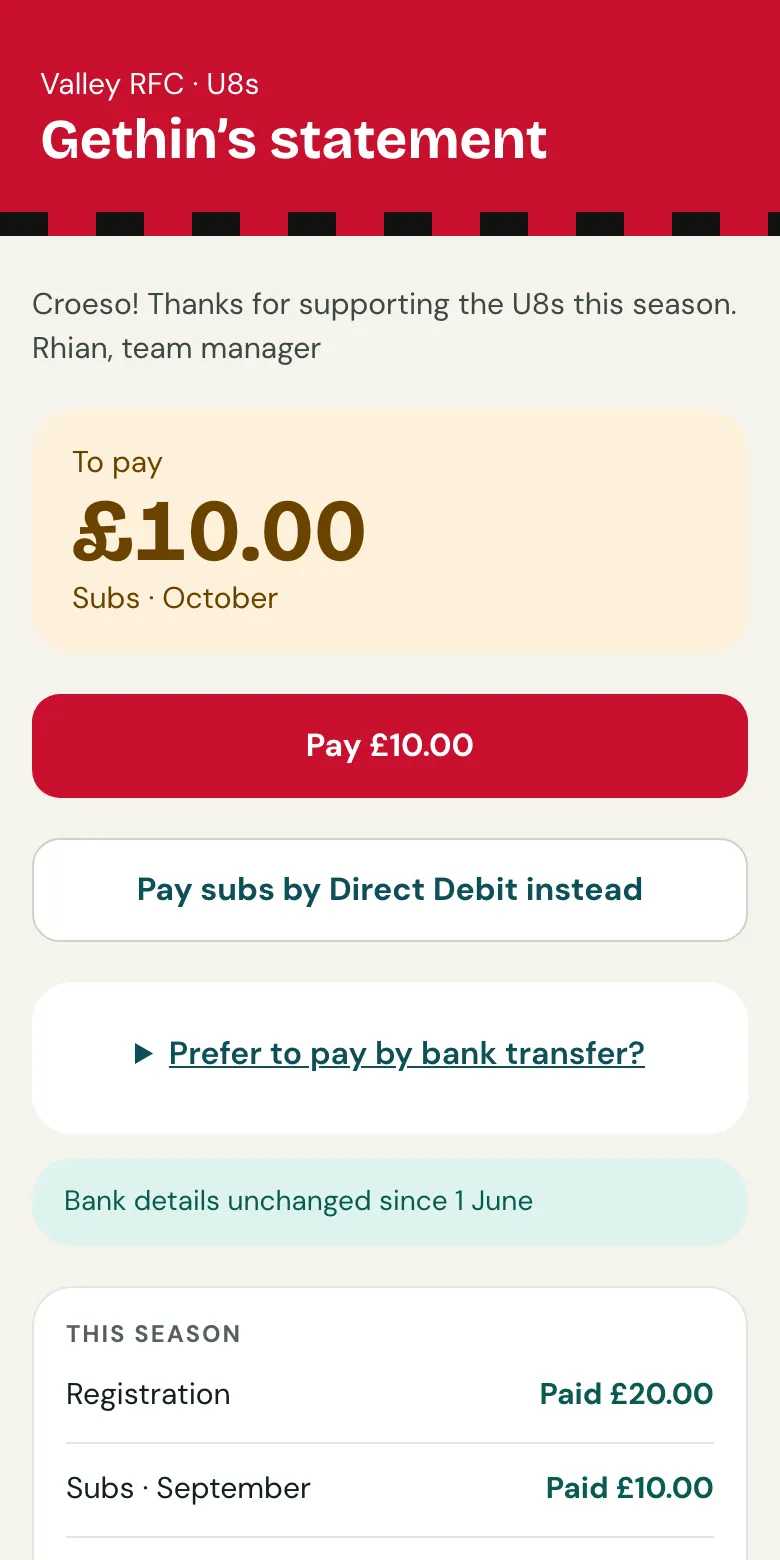
They always pay exactly what you asked. Stripe’s fee comes out of what the team receives, because UK law doesn’t allow card surcharges.
Paying by bank transfer
Under Prefer to pay by bank transfer?, the statement shows the team’s bank details and a reference for that child. When the transfer appears on your next bank statement, Clubtab matches it by the reference.
Paying cash
Parents hand it over as they always have. Record it in Clubtab and it shows on their statement straight away.
Related guides
- Direct Debit for monthly subsOn the Team or Club plan, parents can set up Direct Debit from their statement once, and each month’s subs are collected by themselves.
- Turn on online paymentsOpen Money, choose Take payments online and follow Stripe’s steps. It takes about ten minutes, and parents can pay from their statement straight after.
Still stuck? In the app, open Help and choose Contact support, or email [email protected]. We reply within one working day.