Online payments
Turn on online payments
Open Money, choose Take payments online and follow Stripe’s steps. It takes about ten minutes, and parents can pay from their statement straight after.
Last updated 5 October 2026
Online payments go straight from parents to your team’s own bank account, through Stripe. Clubtab never holds the money. Turning them on takes about ten minutes, and you only do it once.
Before you start
Have these ready:
- Your name, date of birth and home address
- Photo ID, in case Stripe asks for it
- The team account’s sort code and account number
The account should be the team’s dedicated account, in your name or the club’s. Stripe checks who you are because the law says it must, not because anything is wrong.
Turn them on
- Open Money, then Payments and your bank.
- Choose Take payments online.
- Read Before you start, then choose Continue to Stripe.
- Answer Stripe’s questions. When you’re done, Stripe sends you back to Clubtab.
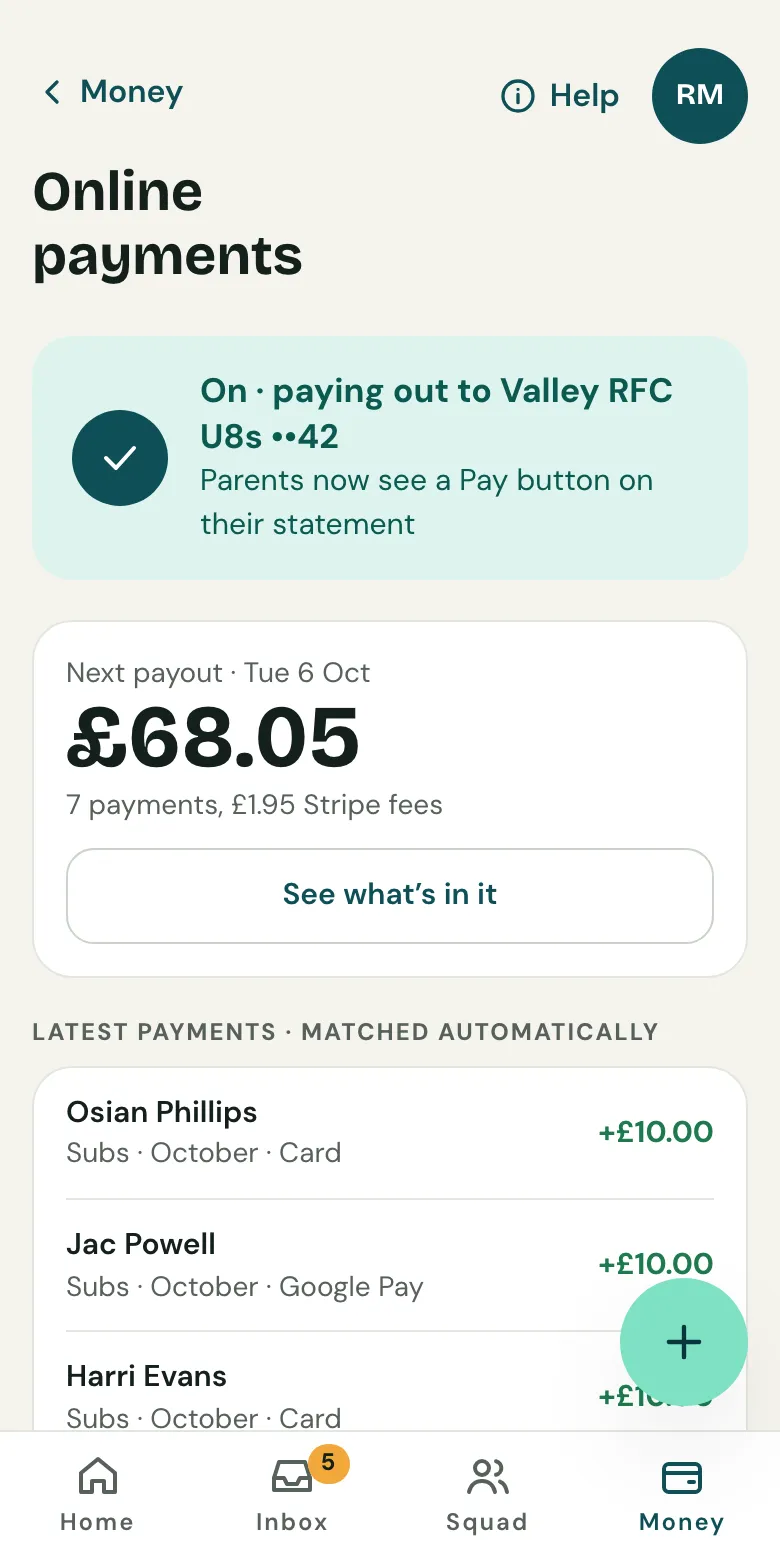
If Stripe needs anything else, Clubtab shows you what and gives you a link to finish it. Once it’s done, Online payments says they’re on, and parents see a Pay button on their statement.
What it costs
Stripe takes 1.5% + 20p from each card, Apple Pay or Google Pay payment, or 1% capped at £4 for Direct Debit. On the Free plan Clubtab adds 20p. Parents always pay exactly what you ask: fees come out of what the team receives.
When the money arrives
Stripe pays what parents have paid into the team account a few days later, as one payout. Clubtab shows each payout under Online payments, with every payment in it, so you can see what it was for.
Related guides
- How parents payParents open the statement link you send, see what’s paid and what’s due, and pay by card, Apple Pay, Google Pay or Direct Debit. No account or app needed.
- Direct Debit for monthly subsOn the Team or Club plan, parents can set up Direct Debit from their statement once, and each month’s subs are collected by themselves.
- Upload a bank statementDownload your team account’s statement as a CSV file, then upload it in the Match inbox. Clubtab matches what it can and asks you about the rest.
Still stuck? In the app, open Help and choose Contact support, or email [email protected]. We reply within one working day.