Getting started
Bring your spreadsheet with you
Upload your team spreadsheet with a bank statement and Clubtab lines the two up. Anything that doesn’t match is shown to you, never guessed.
Last updated 5 October 2026
Joining mid-season? Bring the spreadsheet you already keep, and Clubtab carries on from it. It takes about five minutes. Your old sheet stays exactly as it was.
What you need
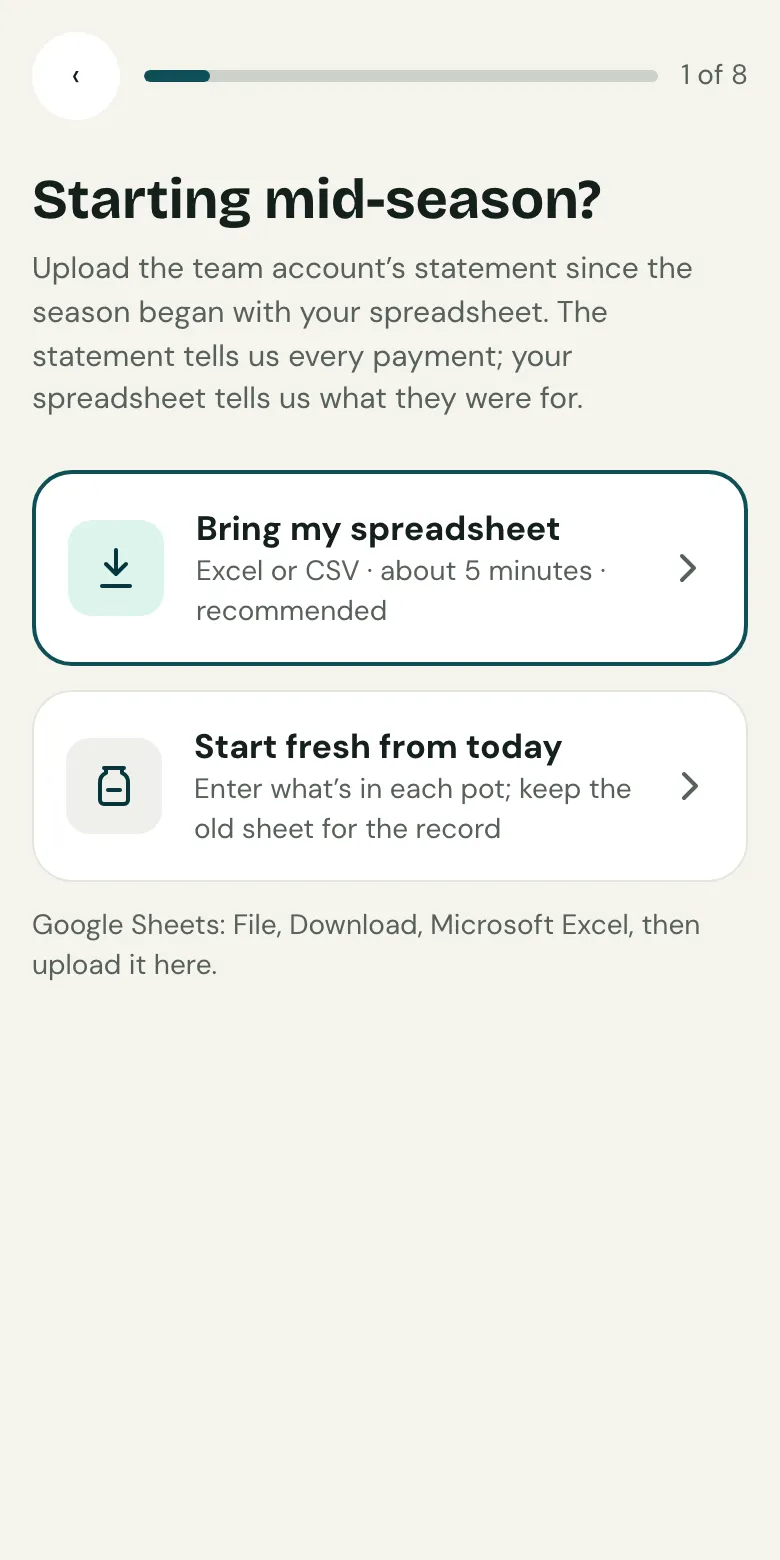
- Your team spreadsheet as an Excel or CSV file. In Google Sheets, choose File, Download, Microsoft Excel.
- A bank statement for the same dates, as a CSV file from your online banking.
Bring it in
- In set-up, at Starting mid-season?, choose Bring my spreadsheet.
- Upload the spreadsheet and the bank statement.
- Tell Clubtab what each tab holds, such as the ledger or a list of players.
- Check the players, items and pots it found.
How the two are lined up
The bank statement is the truth for amounts. Your sheet is the truth for who paid for what. Clubtab sorts every row into three piles:
- Matched to the bank: the sheet and the bank agree.
- Only in your sheet: often cash that never went through the bank. Say what each one was.
- Only in the bank: money your sheet didn’t record. Say who it’s from, or leave it for the Match inbox.
Nothing is saved until you confirm. If you change your mind straight after, you can undo the import.
No spreadsheet?
Choose Start fresh from today instead. Enter what’s in each pot today, and Clubtab takes it from there.
Related guides
- Upload a bank statementDownload your team account’s statement as a CSV file, then upload it in the Match inbox. Clubtab matches what it can and asks you about the rest.
- Record cashOpen Money, then Cash, and record what you took. It shows on the player’s statement straight away, and Clubtab matches it when you bank it.
Still stuck? In the app, open Help and choose Contact support, or email [email protected]. We reply within one working day.