Pots, collections and spending
Collections for kit, tours and tickets
Start a collection, choose who's in and what each child chose, then download the order for the supplier. Payments are matched to each child.
Last updated 7 October 2026
A collection is a one-off thing some of the squad pay for, like a kit order, a tour or tickets. Each child who's in owes it on their statement, and you can see at a glance who has paid.
Start a collection
- Choose +, then New collection. It's under Collections on Money too.
- Say what it is, the price for one, and when it closes, which is when you send the order or pay the deposit.
- Add the choices, like sizes, one a line. Leave them out for a tour or tickets.
- Choose Start collection.
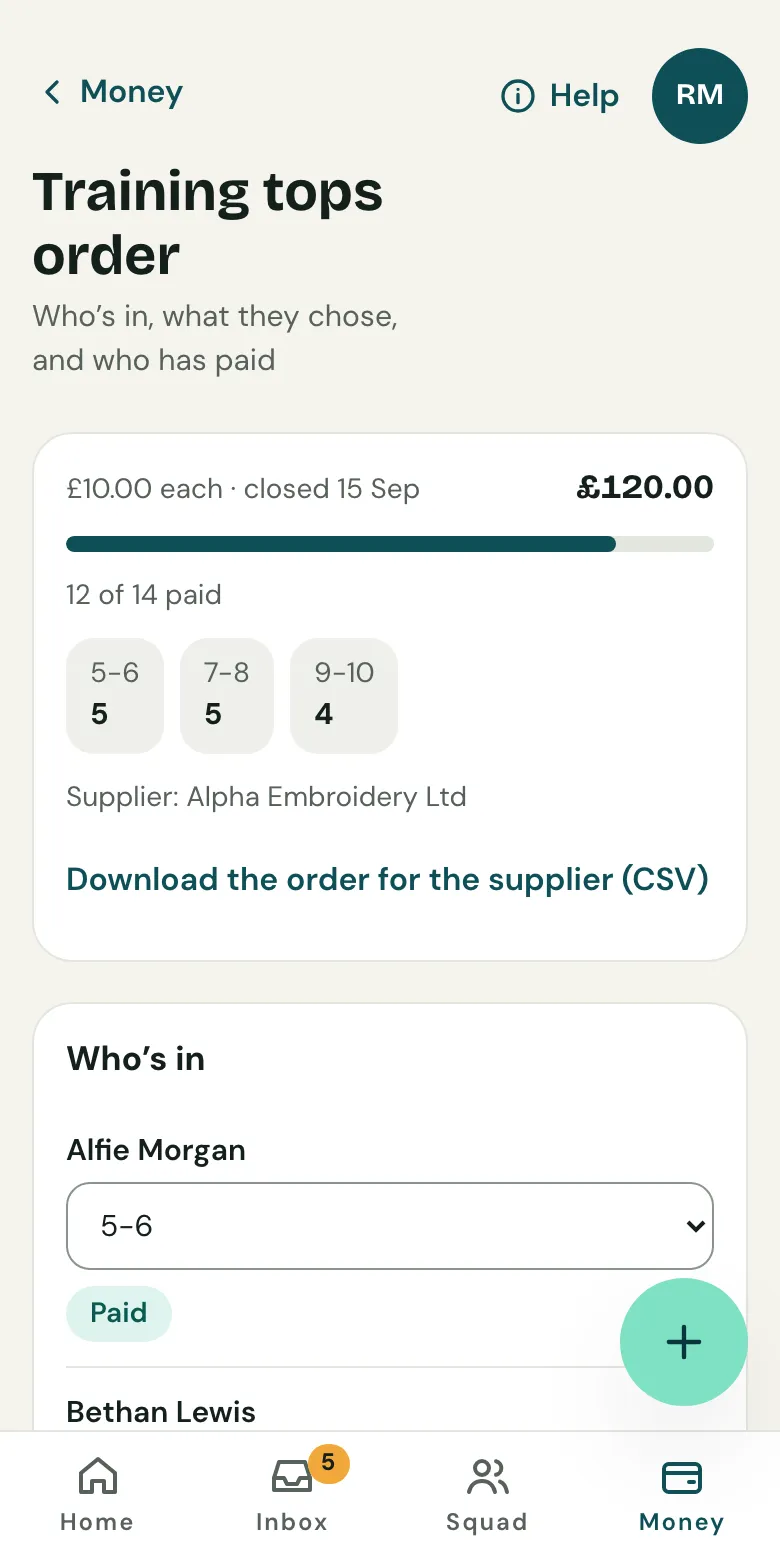
Choose who's in
Tick each child who's in and what they chose, then Save who's in. Each child owes the price on their statement, labelled with their choice, like "Hoodies · 7-8", due on the closing date.
You can change a child's choice at any time. You can take out a child who hasn't paid; one who has paid needs a refund or to be let off first.
Order from the supplier
Choose Download the order for the supplier (CSV). It lists each child and their choice, then the total for each choice.
Related guides
- Pots for money set asideKeep money for one purpose, like a tour or a bonus ball, in its own pot. It stays in the team account, but isn't counted as free to spend.
- What you collectSet the subs, fees and kit you collect. Clubtab adds what each child owes on the day it falls due, so statements are always up to date.
- How parents payParents open the statement link you send, see what’s paid and what’s due, and pay by card, Apple Pay, Google Pay or Direct Debit. No account or app needed.
Still stuck? In the app, open Help and choose Contact support, or email [email protected]. We reply within one working day.