Pots, collections and spending
Pots for money set aside
Keep money for one purpose, like a tour or a bonus ball, in its own pot. It stays in the team account, but isn't counted as free to spend.
Last updated 7 October 2026
A pot keeps money for one purpose without opening another bank account. The money stays in the team account, but Clubtab takes it off what's free to spend, so it's never spent by mistake.
Add a pot
- Open Money, then Add a pot under Pots.
- Give it a name, like Summer tour, a colour and, if you're saving up, a target.
- Choose Add pot.
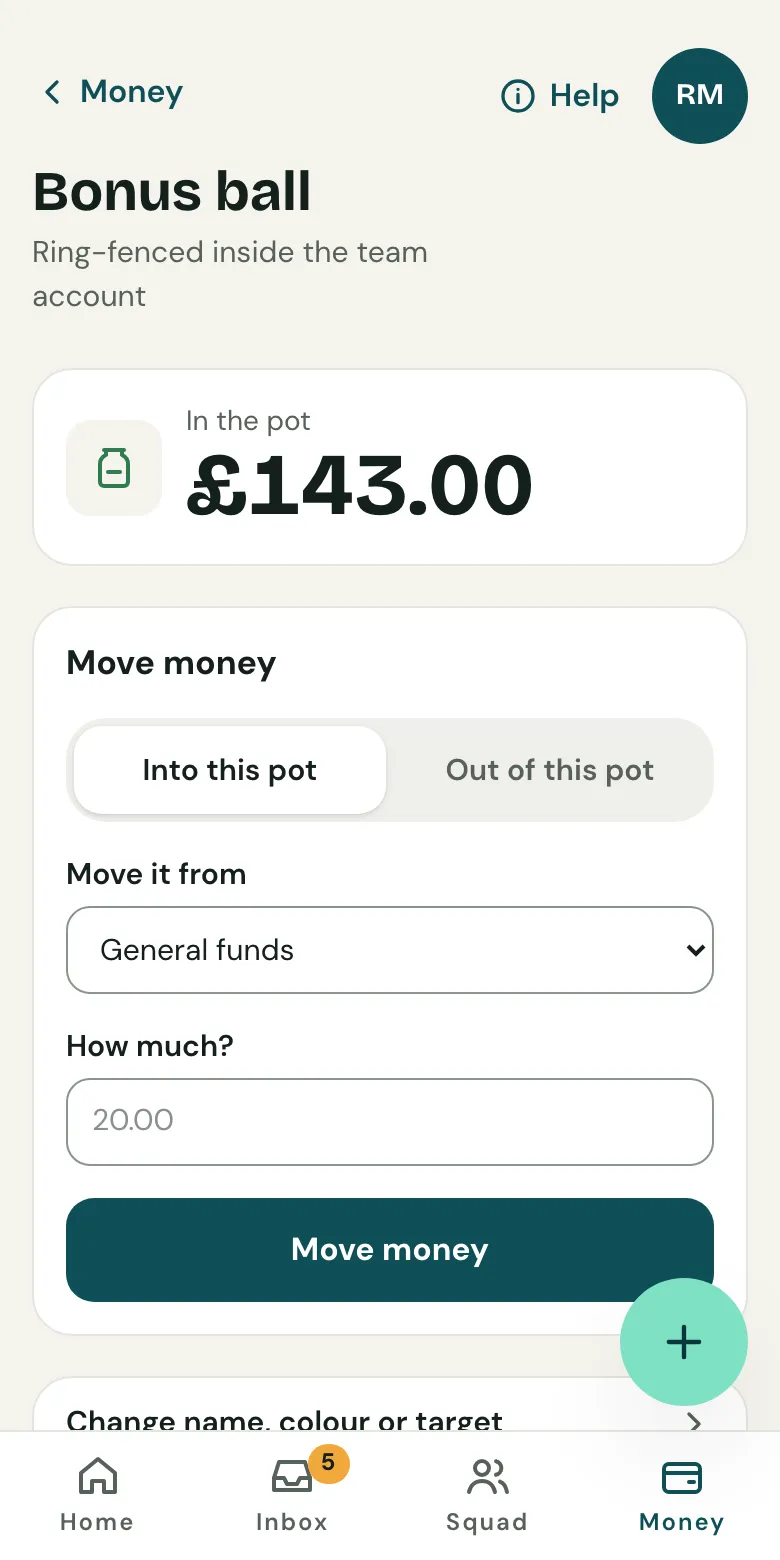
Put money in or take it out
Open the pot and choose Move money. Say which way and how much. Moving money between pots doesn't change the bank balance, only what's free to spend. A pot can't give more than it holds.
Money that comes in for a pot, like a sponsor's donation for the tour, can go straight into it when you record or match it.
Free to spend
Home shows what's free to spend: the bank balance and cash in hand, minus every pot and anything due to the club. Every pot, and every move in and out of it, is in the year-end pack.
Related guides
- Collections for kit, tours and ticketsStart a collection, choose who's in and what each child chose, then download the order for the supplier. Payments are matched to each child.
- Receipts for spendingTake a photo of a receipt and Clubtab reads the supplier, total and date, then attaches it to the payment out on your bank statement.
- The year-end packOpen Money and choose Year-end pack. Clubtab builds the ledger, statements, cash log and receipts into one download, ready for the club treasurer.
Still stuck? In the app, open Help and choose Contact support, or email [email protected]. We reply within one working day.