Pots, collections and spending
Receipts for spending
Take a photo of a receipt and Clubtab reads the supplier, total and date, then attaches it to the payment out on your bank statement.
Last updated 7 October 2026
Keep a receipt for everything the team spends, without a shoebox. Receipts are on the Team and Club plans.
Add a receipt
- Choose +, then Add a receipt. Confirming a payment out marked Needs receipt in the Inbox takes you straight here too.
- Choose Take photo, or pick a photo or PDF of up to 10 MB.
- Clubtab reads the supplier, total and date. Check them and change anything it got wrong.
- Choose the payment out it's for, then Attach receipt.
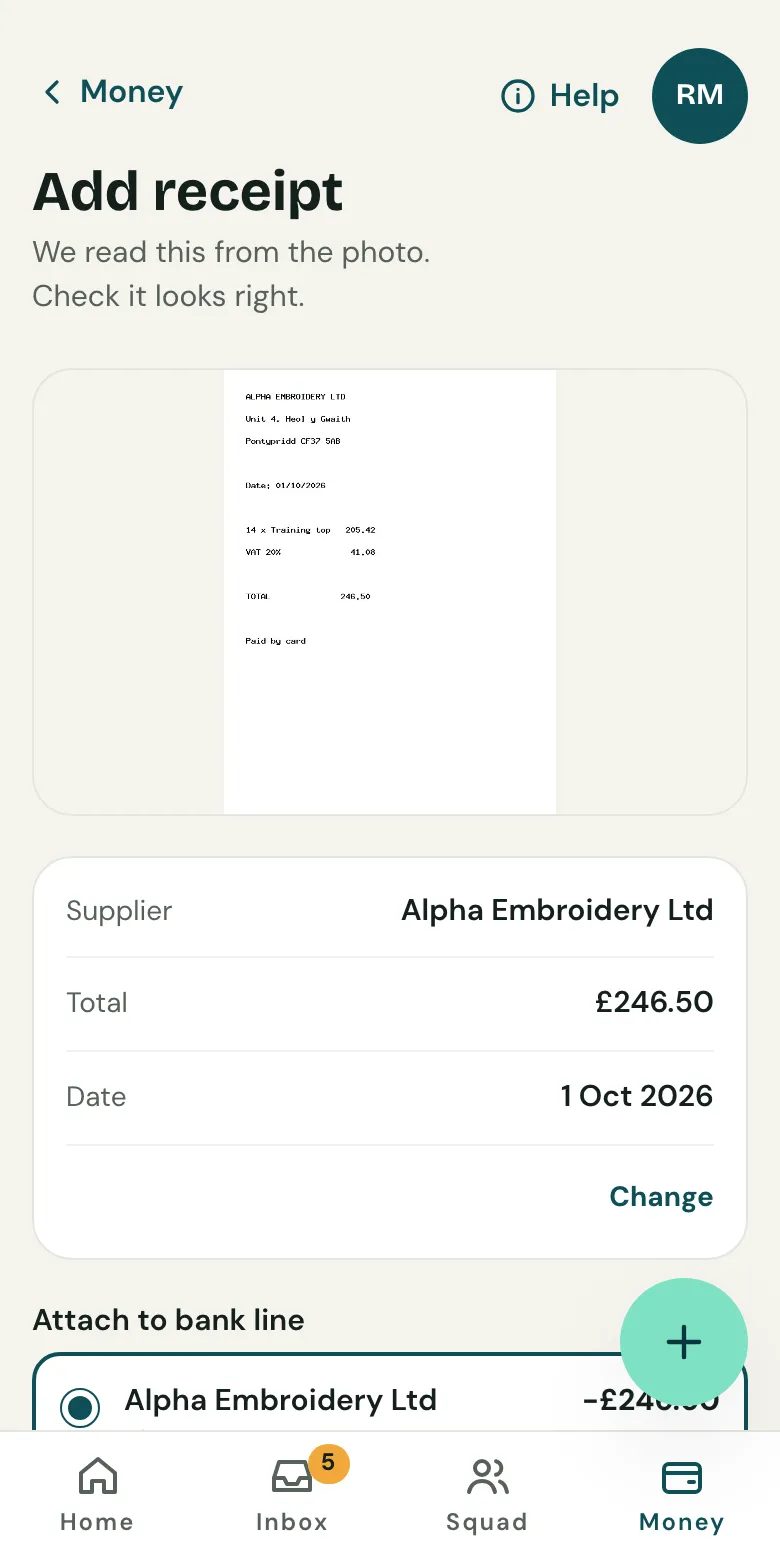
Which payment it's for
Clubtab suggests up to 8 payments out it could be for, from 45 days either side of the receipt's date, best match first, and says why, like the same amount and supplier. If the money hasn't left the account yet, add the receipt once the payment is on a statement you've uploaded.
Cash spending
For something paid in cash, add the receipt when you record the Cash out.
Every receipt is in the year-end pack, next to the payment it's for.
Related guides
- Upload a bank statementDownload your team account’s statement as a CSV file, then upload it in the Match inbox. Clubtab matches what it can and asks you about the rest.
- Record cashOpen Money, then Cash, and record what you took. It shows on the player’s statement straight away, and Clubtab matches it when you bank it.
- The year-end packOpen Money and choose Year-end pack. Clubtab builds the ledger, statements, cash log and receipts into one download, ready for the club treasurer.
Still stuck? In the app, open Help and choose Contact support, or email [email protected]. We reply within one working day.