Running a club
The treasurer's view
Every team's balance, pots, free to spend and money due to the club, in one read-only view, with exports for the AGM.
Last updated 7 October 2026
The club's admins and its treasurer see every team's money in one view, without asking each manager for a spreadsheet. It's on the Club plan, and nothing in it can be changed: each team's managers keep their own books.
Open it
Choose Club overview on your club's set-up page. If you also run a team, it's under Switch team in the menu under your initials. A treasurer who doesn't run a team opens straight onto it.
What it shows
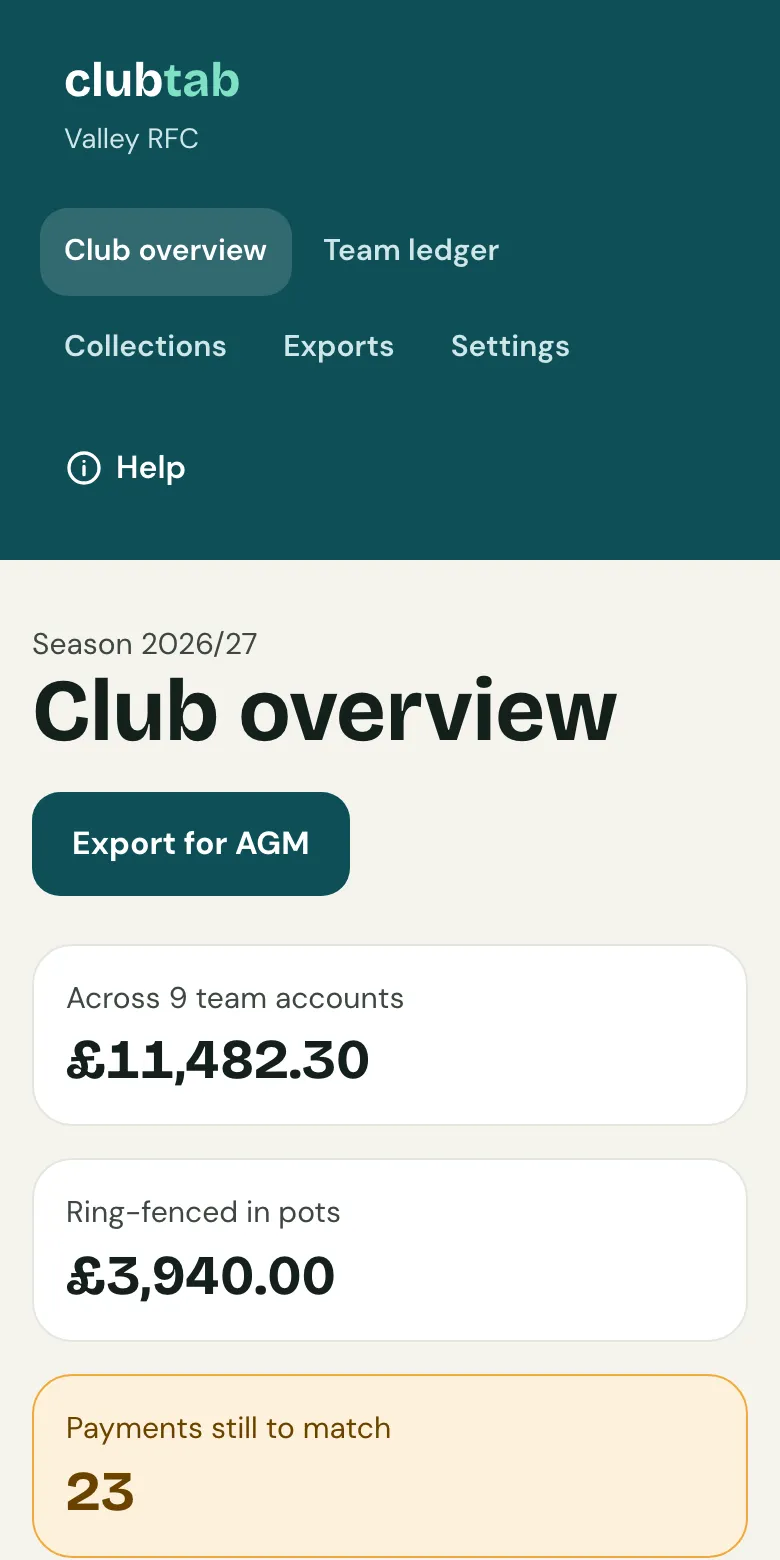
- Club overview: the club's totals, then each team's manager, balance, money in pots, what's free to spend and payments still to match. A team whose latest statement is 35 days old or more is marked overdue.
- Year-end packs: each pack a team has sent the club, newest first, to download. The club's admins and treasurer are emailed a link to each one when it arrives, and it stays with the club even if the team leaves.
- Team ledger: each team's money in and out this season: who it was from or to, what it was for, and its pot. Managers' notes on a payment stay with the team.
- Collections: every team's kit orders, tours and tickets.
- Exports: Export for AGM, with each team's balance, pots, money due to the club and free to spend, and the Club-wide ledger, every team's money in one spreadsheet.
- Settings: the club's look and address, plan and billing, join code, fee, season dates and teams. A treasurer who isn't an admin sees plan and billing only.
What the club sees
When a manager joins, they're told what the club sees: the team's balance and free to spend, pot totals, registration fees due to the club, how many payments are still to match, the team's ledger (each payment, who it was from or to, and what for), and the year-end pack when they send it. Player notes and parents' phone numbers and emails stay with the team.
Related guides
- Set up or claim your clubPut your club on Clubtab, or claim it if a manager already started it, then set the registration fee, season dates and teams.
- The year-end packOpen Money and choose Year-end pack. Clubtab builds the ledger, statements, cash log and receipts into one download, ready for the club treasurer.
- Choosing a planFree for one team, Team for no Clubtab fee and more, Club for every team plus the treasurer view. Paid once a season.
Still stuck? In the app, open Help and choose Contact support, or email [email protected]. We reply within one working day.