Running a club
Set up or claim your club
Put your club on Clubtab, or claim it if a manager already started it, then set the registration fee, season dates and teams.
Last updated 7 October 2026
A club on Clubtab lets its teams' managers join it, pass up registration fees, and share their totals with the treasurer. It's usually set up by the secretary or treasurer.
Put your club on Clubtab
- On Clubtab's For clubs page, choose Set up your club. Say you're a club treasurer or committee member, and open the sign-in link we email you. (In the app, it's I'm setting up a club.)
- Enter the club's name, sport and the postcode of the clubhouse or ground, then Continue.
If a manager has already started the club on Clubtab, you'll be asked to claim it instead.
Claim a club that's already here
Show us you're from the club, one of three ways:
- Invited by a manager: if a manager already runs a team in the club, you'll see their name, like "Rhian invited me". They confirm it in the app. It's the fastest.
- Use my club email: an address on the club's own website, whose name matches the club's, like [email protected]. We email it a six-digit code. If the address doesn't match, Clubtab checks by hand instead.
- Ask Clubtab to check: we contact the club secretary, which takes up to 2 working days.
As club admin you can add teams, invite and approve managers, and see the totals managers share with the club.
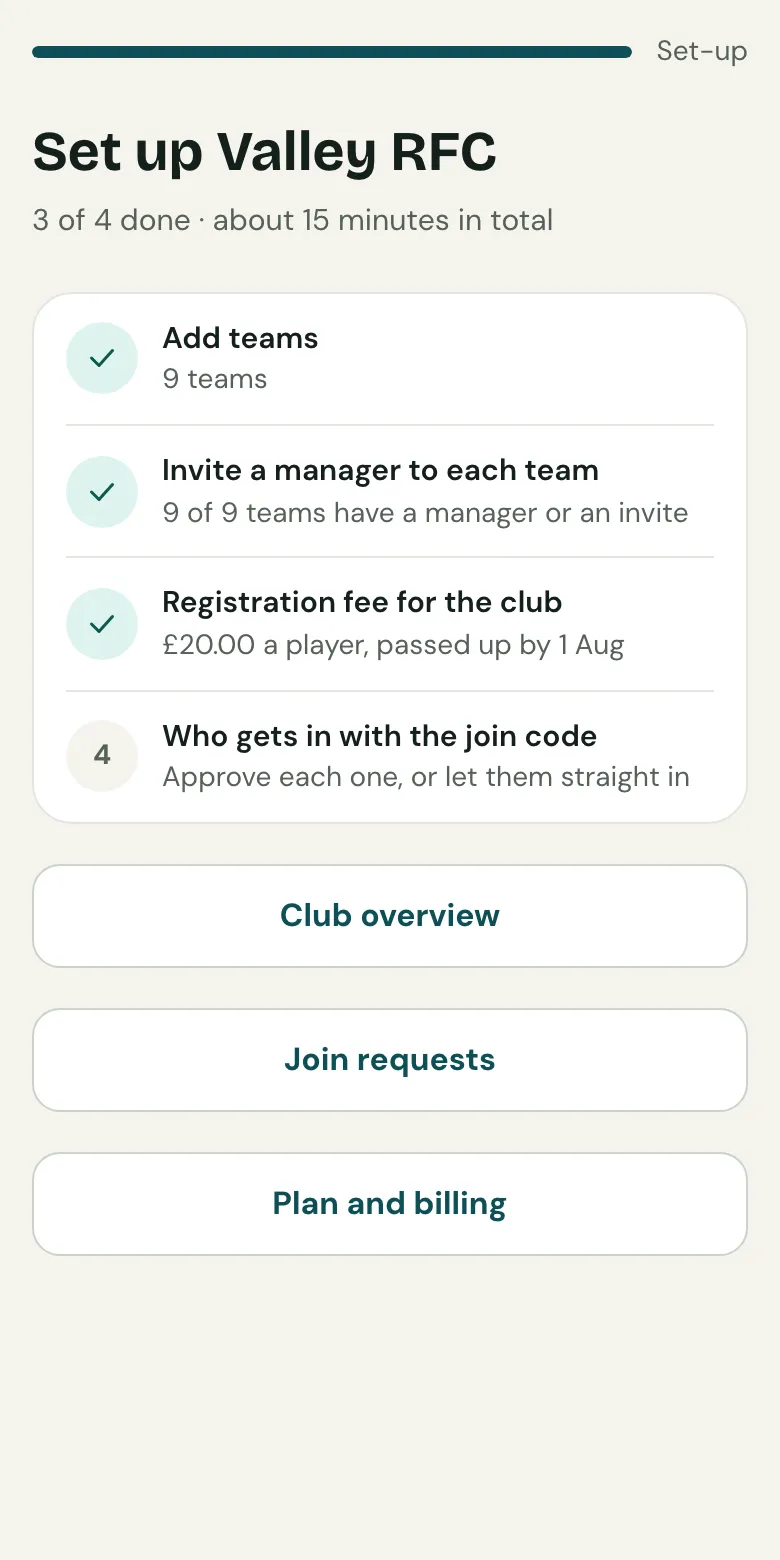
Finish setting up
Your club's set-up page lists what's left:
- Teams: tick the teams you run, or add another, like Under 9s Girls.
- Managers and the join code: see Managers and join requests.
- Registration fee: the amount per player, and when teams pass it up. Each team collects it from parents, and Clubtab shows it as due to the club until the team passes it up.
Under Club settings you can also set the club's Season dates: the day every team's season starts, and its plan renews. A change applies from next season.
Related guides
- Managers and join requestsInvite a manager to each team, or share the club's join code and poster. Choose whether you approve each person who uses it.
- The treasurer's viewEvery team's balance, pots, free to spend and money due to the club, in one read-only view, with exports for the AGM.
- Choosing a planFree for one team, Team for no Clubtab fee and more, Club for every team plus the treasurer view. Paid once a season.
Still stuck? In the app, open Help and choose Contact support, or email [email protected]. We reply within one working day.