Getting started
Choosing a plan
Free for one team, Team for no Clubtab fee and more, Club for every team plus the treasurer view. Paid once a season.
Last updated 7 October 2026
Every team starts on Free. Move up when it's worth it, and pay once a season.
The plans
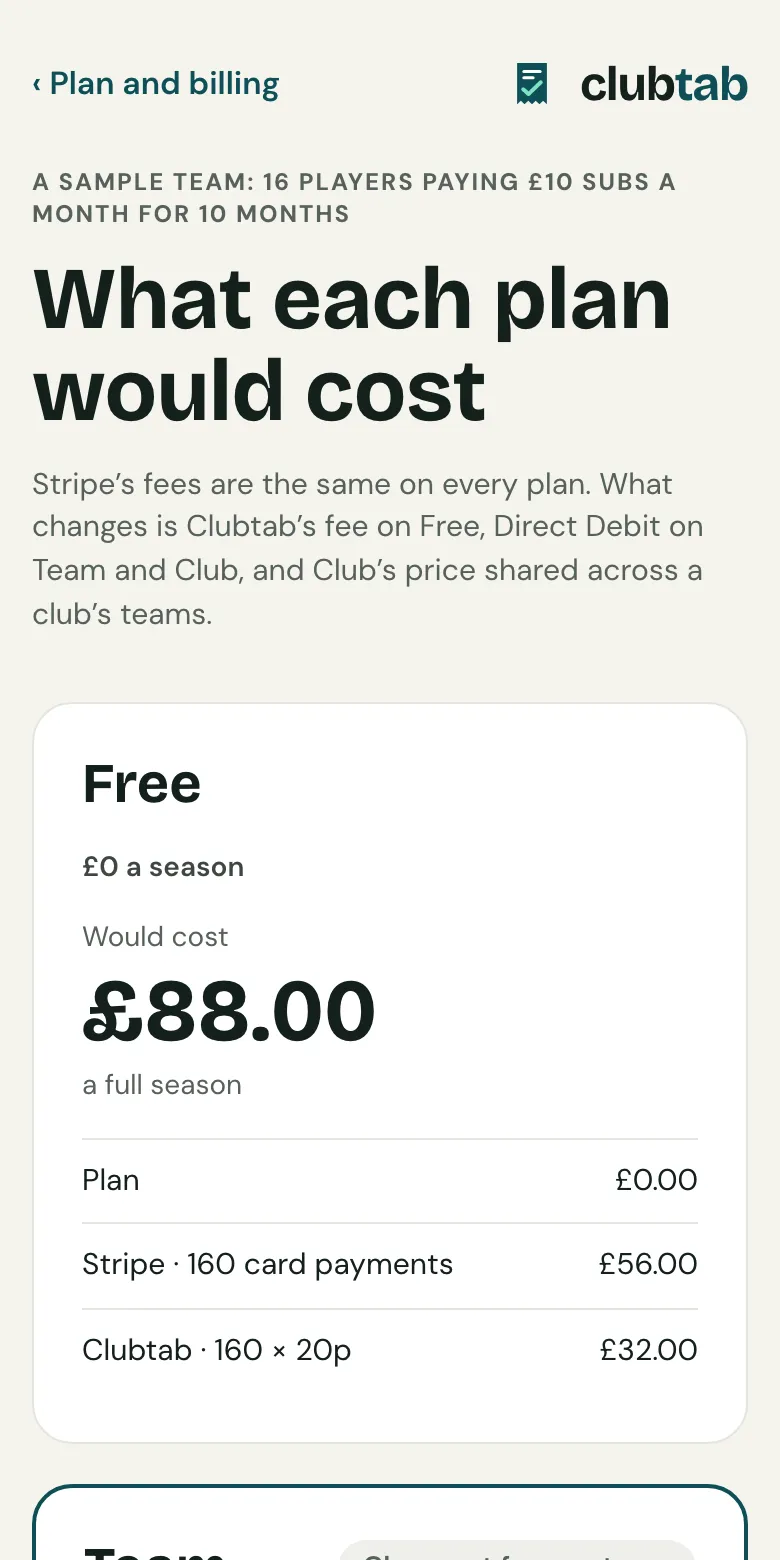
- Free: one team, statements, online payments, cash and bank statements. Clubtab adds 20p to each online payment.
- Team, £49 a season: no Clubtab fee on payments, plus Direct Debit subs, receipts and the year-end pack.
- Club, £199 a season: Team for 5 teams, then £29 for each extra team, plus the treasurer view and the club's own look and address. The club's treasurer sets it up.
Choose or change a plan
- Open the menu under your initials, then Plan and billing.
- On Free, choose See the sums to see what Team would cost or save your team.
- Choose Move to Team, which shows what's due today, and pay by card. The plan starts straight away.
Joining part way through a season? You pay for the months left, at least 3.
Renewing
A plan renews before each season, timed to your club's season. Whoever pays is reminded 30 and 7 days before. To stop, choose Don't renew next season.
If a renewal can't be paid, you keep the plan for 14 days while it's sorted out, then move to Free. Nothing is deleted.
Related guides
- Turn on online paymentsOpen Money, choose Take payments online and follow Stripe’s steps. It takes about ten minutes, and parents can pay from their statement straight after.
- Direct Debit for monthly subsOn the Team or Club plan, parents can set up Direct Debit from their statement once, and each month’s subs are collected by themselves.
- The year-end packOpen Money and choose Year-end pack. Clubtab builds the ledger, statements, cash log and receipts into one download, ready for the club treasurer.
Still stuck? In the app, open Help and choose Contact support, or email [email protected]. We reply within one working day.