Online payments
Refunds and letting a family off
Refund an online payment to the payer, or let a family off a charge they shouldn't pay. Both stay on the record with the reason.
Last updated 7 October 2026
Mistakes and hardship happen. Undo a charge or a payment from the child's statement, and the reason stays on the record.
Let a family off a charge
For hardship, a late joiner or a mistake:
- Open Squad, then the child.
- Next to what they owe, choose Let off.
- Say why. Only the team's managers see this.
The charge is no longer owed, and the reason is kept. Changed your mind? Undo it from the same place.
Refund an online payment
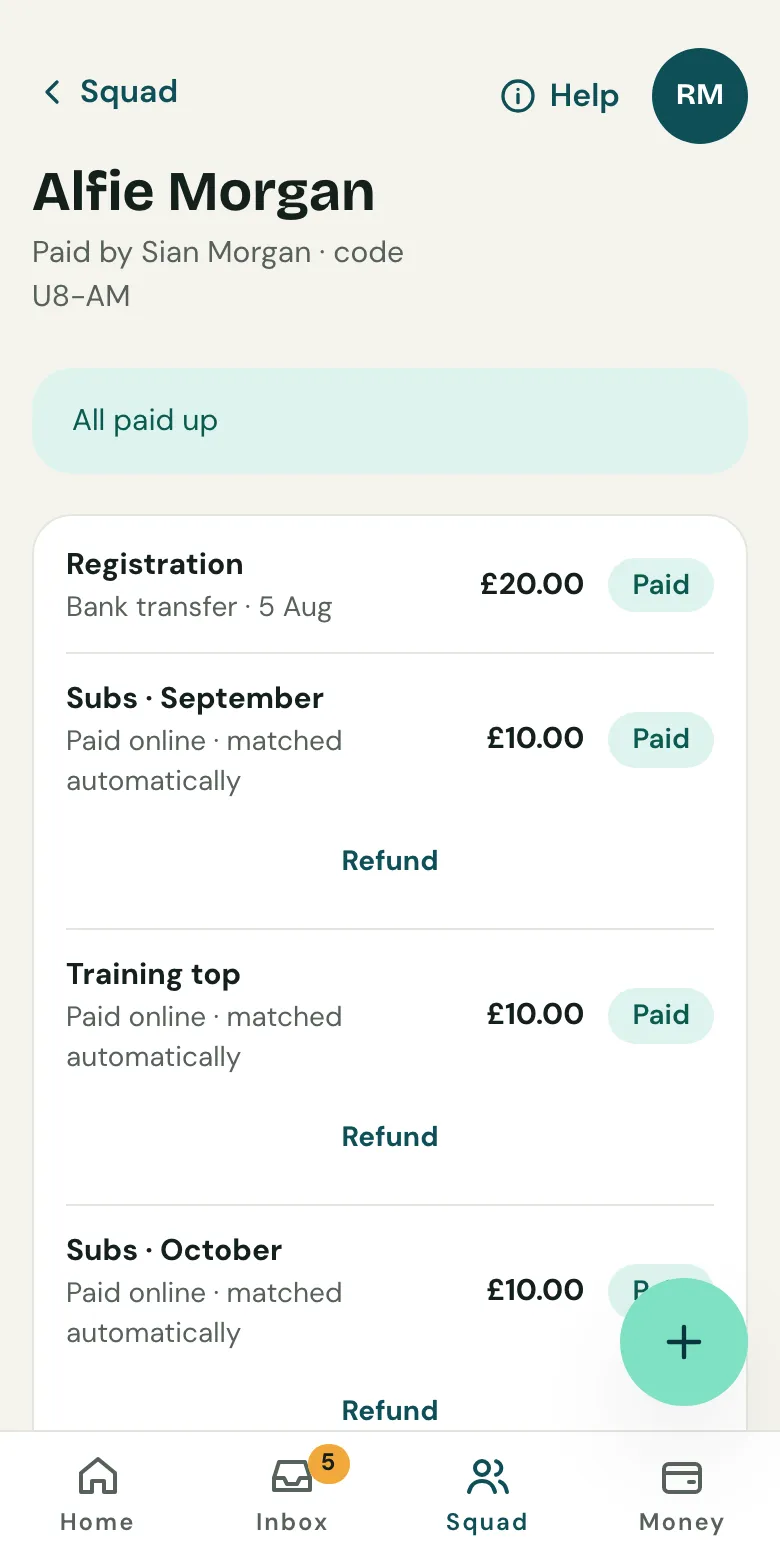
- Open the child's statement and choose Refund next to the payment.
- Choose what to refund and say why.
- Tick Let them off too if they shouldn't pay it at all. Otherwise what's refunded is owed again.
- Choose Refund to the payer.
The money goes back the way it came, to the card or the bank account the Direct Debit was taken from, and Clubtab's fee goes back with it. The statement changes once Stripe confirms the refund.
If a payment is disputed
If a payer asks their bank to reverse a payment, the managers are emailed and the payment comes off the books while the bank decides. If the dispute is won, it goes back on.
Cash or a bank transfer to refund? Pay it back yourself, then record it as money out.
Related guides
- How parents payParents open the statement link you send, see what’s paid and what’s due, and pay by card, Apple Pay, Google Pay or Direct Debit. No account or app needed.
- Turn on online paymentsOpen Money, choose Take payments online and follow Stripe’s steps. It takes about ten minutes, and parents can pay from their statement straight after.
- What you collectSet the subs, fees and kit you collect. Clubtab adds what each child owes on the day it falls due, so statements are always up to date.
Still stuck? In the app, open Help and choose Contact support, or email [email protected]. We reply within one working day.