Your team
Hand a team on
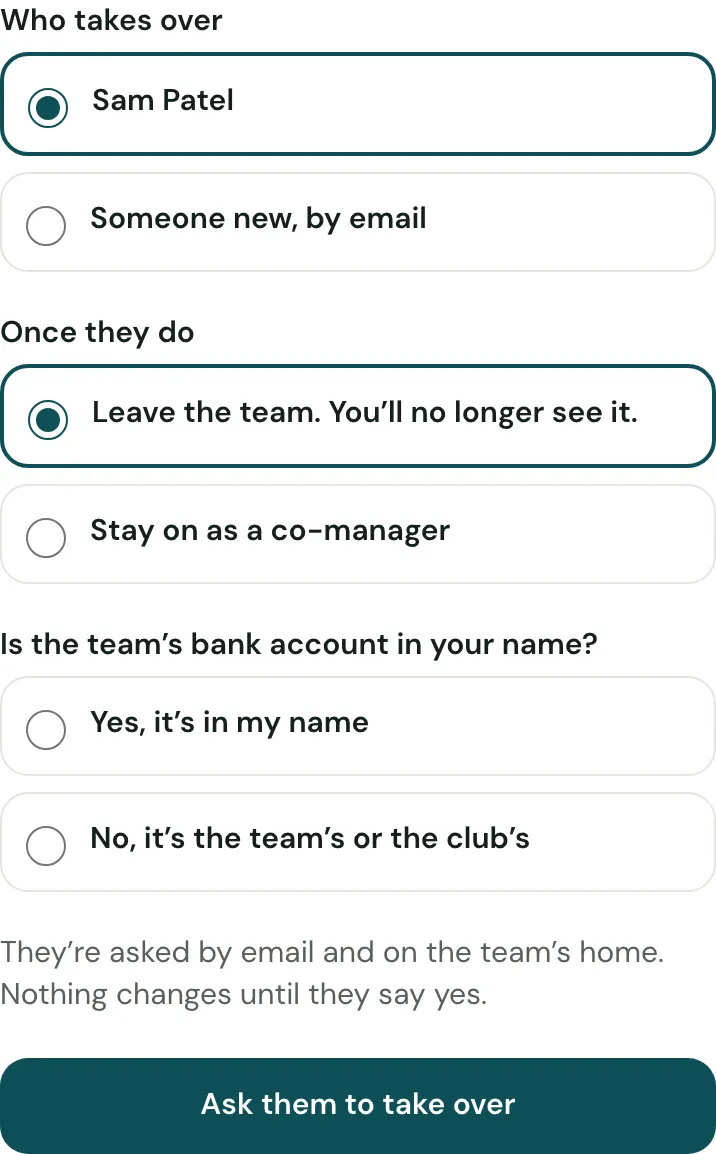
Stepping down? Choose Hand the team on in Team managers. The new manager says yes on the team’s home, and the team’s money, squad and history go with it.
Last updated 9 October 2026
The team’s money, squad and history stay with the team when its manager changes. Nothing changes until the new manager says yes.
If you’re stepping down
- Open Team managers and choose Hand the team on.
- Choose who takes over: one of the team’s co-managers, or Someone new, by email. Someone new is invited to join as a co-manager first; if their invite runs out, invite them again as a co-manager with the same email.
- Say whether you leave the team or stay on as a co-manager. Leaving is the default: once they take over, you no longer see the team.
- If the team has bank details, say whether the account is in your own name.
- Choose Ask them to take over. You can call it off until they answer.
If the bank account was in your name, it stays with you. Once they’ve taken over and added the team’s new account:
- Move the team’s money to the new account.
- Send the new manager the old account’s statement up to the day of the handover, as a CSV file from your online banking.
If the team’s manager has gone, a club admin can hand the team on: on the club’s overview, choose Managers beside the team, then Hand the team on.
If you’re taking over
You’re asked on the team’s home and by email. Choose Take over, or I can’t take it on, which tells whoever asked.
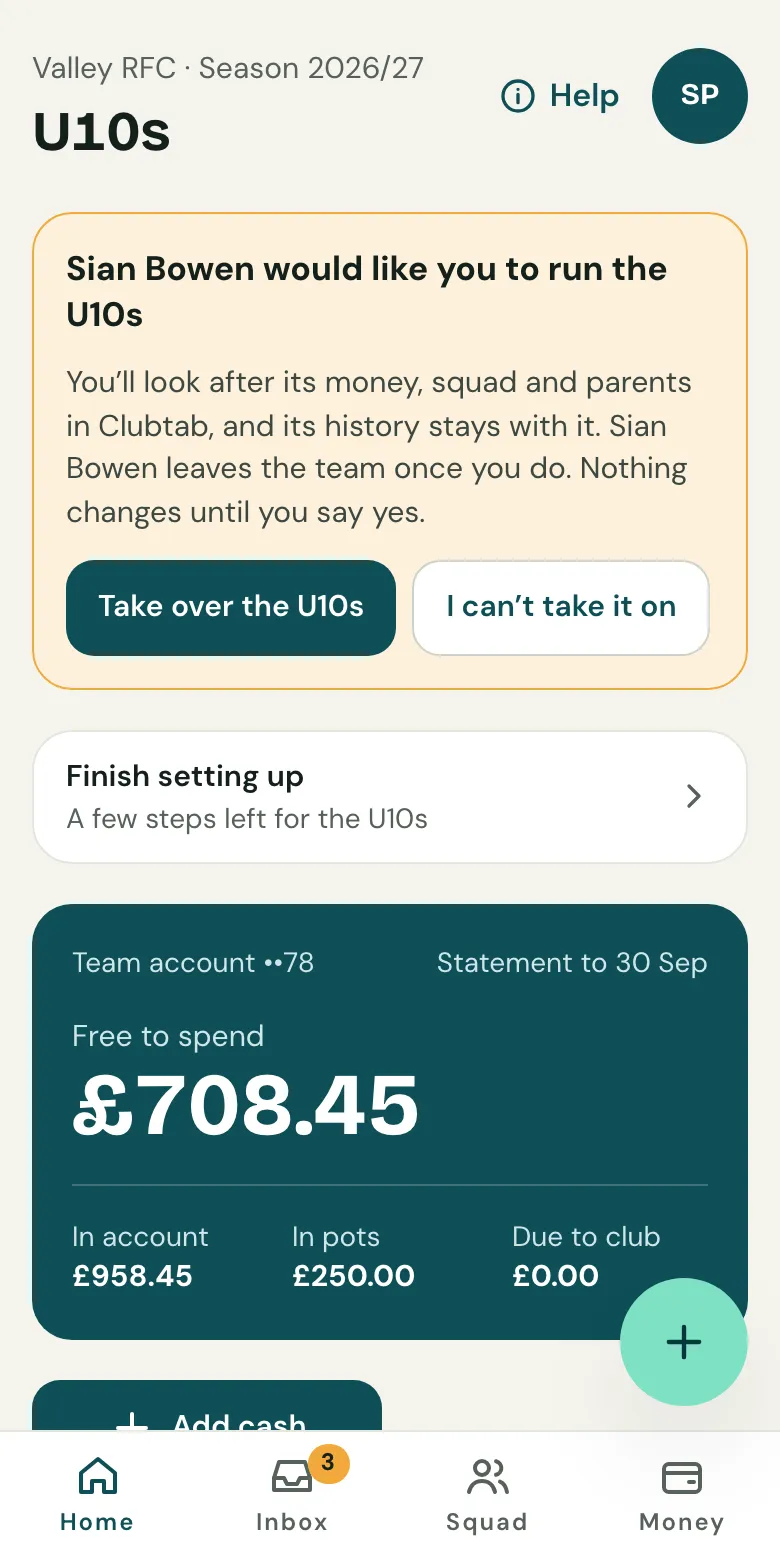
Once you’ve taken over, the team’s home lists what’s left for your first fortnight:
- Turn on online payments in your name, from Money, then Online payments. They pause at the handover, as they went into the last manager’s own account, and any Direct Debits end: each parent is emailed to set theirs up again.
- If the bank account was in the last manager’s name, add the team’s new bank account. Parents stop seeing the old one at the handover, and are told the details changed.
- Ask parents to update any standing orders to the new account.
- Upload the old account’s statement from the last manager, choosing the old account when asked. See After a handover.
- Match the money moved across as Moved between the team’s accounts, on both accounts’ statements. It isn’t money in or out, so the season’s totals don’t change.
Past payments stay as they are, and can still be refunded.
The handover pack
When the bank account goes with the last manager, its books close with a handover pack: the year-end pack for the season up to the handover. It goes to the club once the old account’s statement to that day is uploaded. The new manager can also choose Send it now on the team’s managers page. A team with no club keeps it there. The season’s own pack is still made at the end of the season.
Related guides
- Invite a co-managerOpen Team managers and choose Invite a co-manager, by email or with a link. Co-managers can match payments, send requests and add receipts.
- Upload a bank statementDownload your team account’s statement as a CSV file, then upload it in the Match inbox. Clubtab matches what it can and asks you about the rest.
- The year-end packOpen Money and choose Year-end pack. Clubtab builds the ledger, statements, cash log and receipts into one download, ready for the club treasurer.
Still stuck? In the app, open Help and choose Contact support, or email [email protected]. We reply within one working day.