Your team
Coaches and first aid
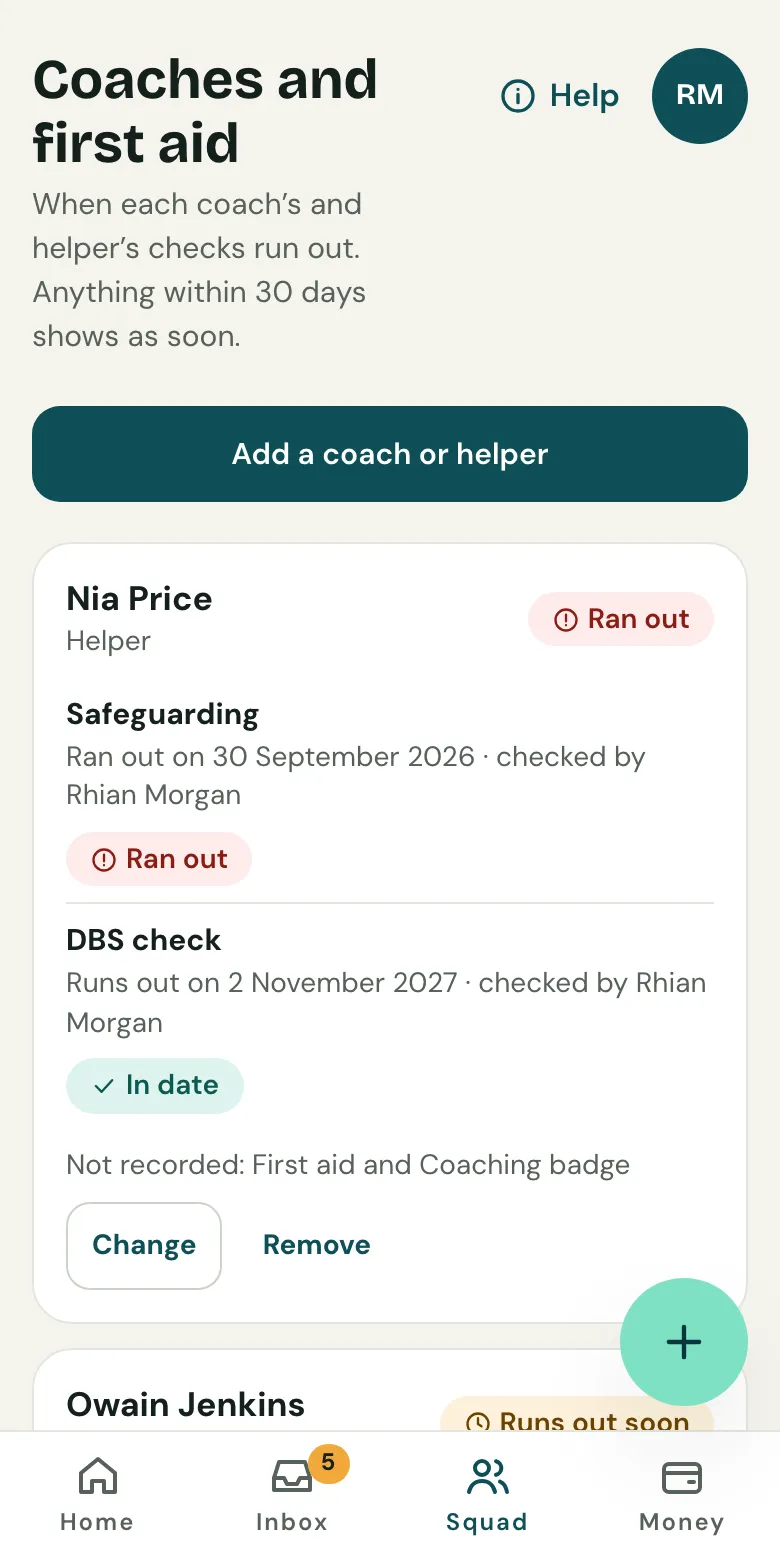
Keep the dates each coach’s and helper’s first aid, safeguarding and DBS check run out, and get a reminder before each one does.
Last updated 8 October 2026
Know whose first aid or DBS check is about to run out before a match day catches you out. Coaches and first aid is on the Team and Club plans.
Add a coach or helper
- Open the Squad tab, then Coaches and first aid.
- Choose Add a coach or helper. Enter their name and what they do: coach, helper, first aider or welfare officer.
- For each check they have, choose Add first aid, Add safeguarding, Add coaching badge or Add DBS check, then enter the date it runs out and who checked it. Leave out any they don’t have.
- Choose Save.
Clubtab keeps only the dates and who checked them, never certificate numbers. Coaches and helpers don’t need an account.
Reminders
Clubtab emails the team’s managers 30 and 7 days before a check runs out, once each. On the Club plan the club’s admins hear too. When it’s renewed, choose Change and put in the new date, and the reminders start again for that one.
The list says in words what’s in date, what runs out soon and what has run out.
For the club
On the Club plan, club admins open Settings, then Coaches and first aid. It shows every check across the club’s teams that runs out in the next 30 days or has run out, soonest first, with the team manager to ask. It also lists teams with no coaches yet, or no first aid or DBS check in date, and keeps the club’s own people who aren’t in one team, like a welfare officer or coaching lead.
When someone leaves
Choose Remove. Clubtab asks first, then deletes their name and dates straight away. Keep your own safeguarding records as your governing body asks.
Related guides
- Choosing a planFree for one team, Team for no Clubtab fee and more, Club for every team plus the treasurer view. Paid once a season.
- The treasurer’s viewEvery team’s balance, pots, free to spend and money due to the club, in one read-only view, with exports for the AGM.
- Invite a co-managerOpen Team managers and choose Invite a co-manager, by email or with a link. Co-managers can match payments, send requests and add receipts.
Still stuck? In the app, open Help and choose Contact support, or email [email protected]. We reply within one working day.