Your team
Player of the match
Keep a simple log of each match’s player of the match. Each parent sees their own child’s awards on their statement.
Last updated 8 October 2026
A small way to celebrate the children, kept with the team. Player of the match is on every plan, Free too.
Give the award
- Once you’ve added your squad, choose +, then Player of the match. Or open the Squad tab, scroll to Player of the match and choose Give player of the match.
- Pick the child, the date of the match and who they played. The date can be any day this season, up to today.
- Choose Give the award. The form stays open, ready for the next one.
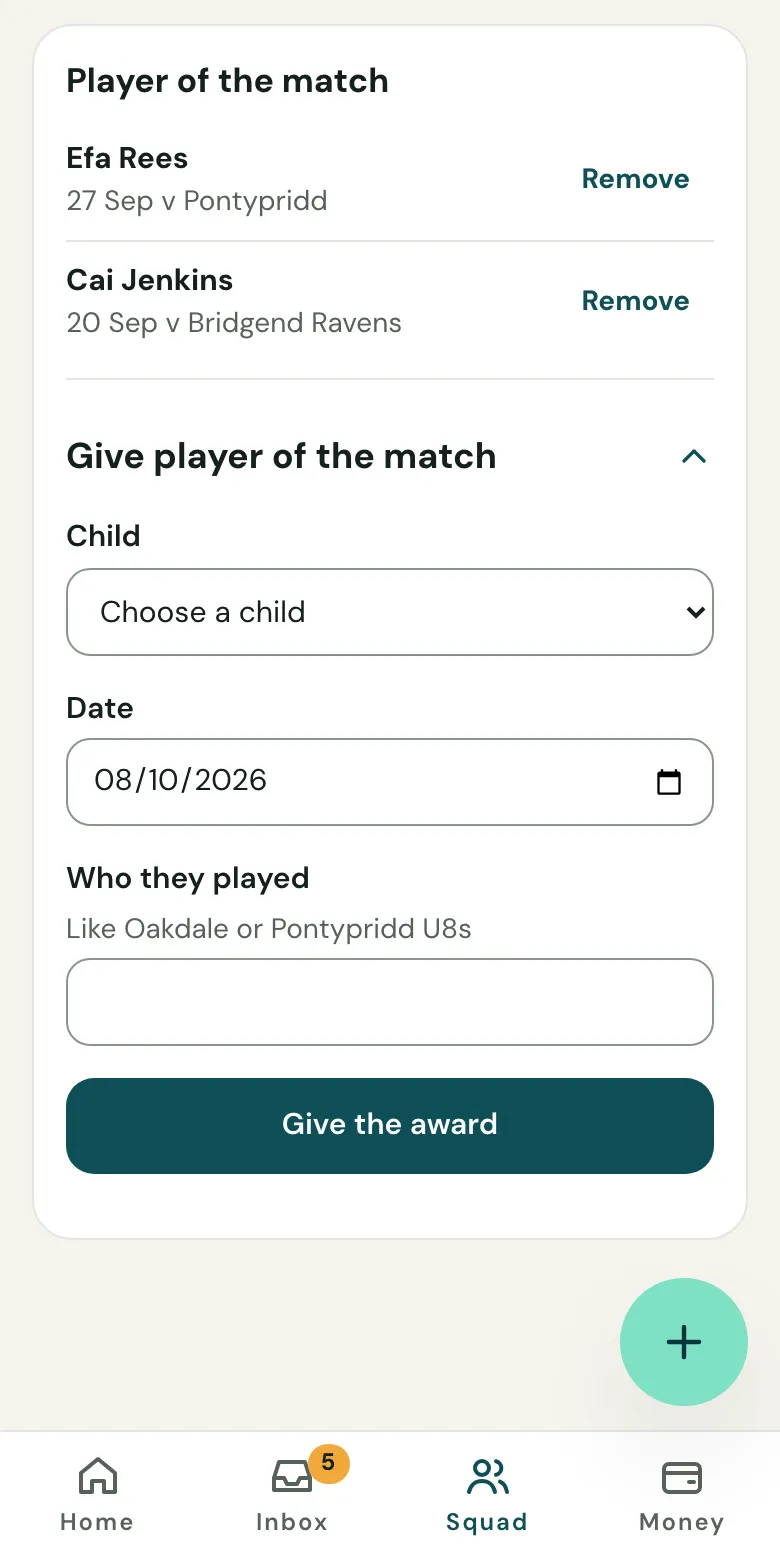
This season’s awards are listed newest first. To take one off, choose Remove. Clubtab asks first.
What parents see
Each parent sees their own child’s awards on their statement, above this season’s payments, like “Gethin was player of the match v Oakdale on 3 October.”, and never another child’s. On a Welsh club’s page it’s in Welsh, and on a bilingual one in both.
Clubtab doesn’t keep fixtures. Your league’s site or an app like Spond has those.
Related guides
- Add your squadPaste a list of names, or upload a CSV or TeamO export. Each child gets a reference code that parents use when they pay.
- How parents payParents open the statement link you send, see what’s paid and what’s due, and pay by card, Apple Pay, Google Pay or Direct Debit. No account or app needed.
Still stuck? In the app, open Help and choose Contact support, or email [email protected]. We reply within one working day.