Your account
Letting Clubtab support in
Let Clubtab support see your team in Clubtab to sort out a problem, for as long as you choose. They can never move money, and you can stop it any time.
Last updated 7 October 2026
Sometimes it's quicker to show us than to explain. You can let Clubtab support see your team's pages, and nothing happens without your yes.
Let support in
- On one of your team's pages, choose Help.
- Choose Let Clubtab support see my account.
- Choose how long: 1 hour, 24 hours or 7 days. Then Let support in.
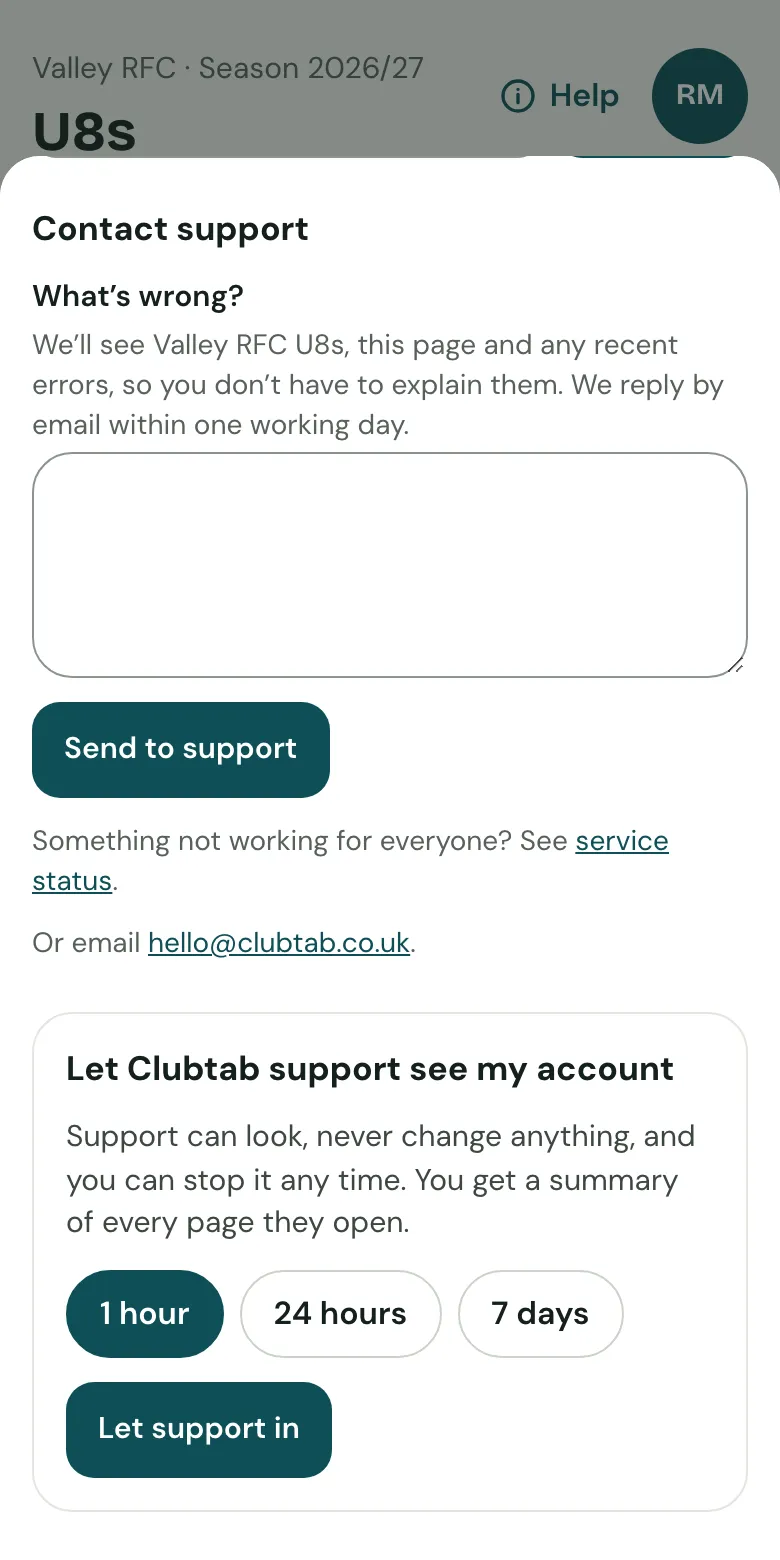
Support sees that one team's pages, and can look but not change anything. If support asks to see a team, or to make changes, you're asked in the app and by email, and choose Allow or No thanks.
What support can never do
Even with your yes, support can never change the team's bank details or turn on online payments, refund, let off or move money, share parent links, change your plan, sign-in or who has access, invite anyone, or delete anything.
While they're in
- You see a banner saying support is viewing, and can Stop it at any time.
- Every page they open is noted, along with the support ticket when support asked.
- When it ends, you get an email listing what they looked at.
In an emergency, like a security problem, support can look without asking, read-only for 1 hour, with a written reason. The club's admins are told, and it's checked afterwards.
Related guides
- Signing in and passkeysClubtab never asks for a password. Sign in with a link we email you, or add a passkey to sign in with Face ID, a fingerprint or your phone.
- Upload a bank statementDownload your team account’s statement as a CSV file, then upload it in the Match inbox. Clubtab matches what it can and asks you about the rest.
Still stuck? In the app, open Help and choose Contact support, or email [email protected]. We reply within one working day.